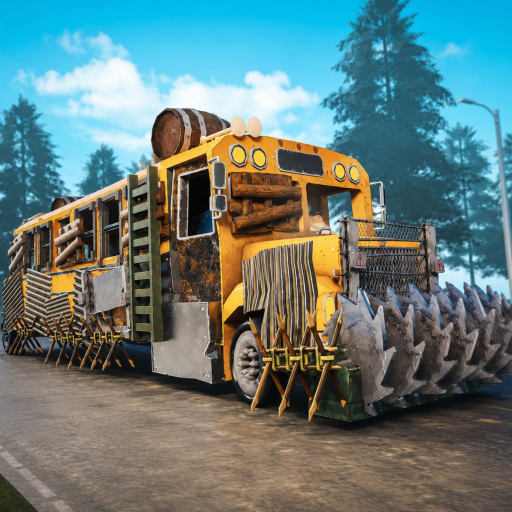
Last Stop official Roblox game icon
Input reference · September 2026

Last Stop Roblox Controls

The official Last Stop description publishes seven PC inputs. Mobile and controller mappings stay clearly unconfirmed until a current interface shows them.

Official · PC controlsChecked September 5, 2026
Quick answer

Click, Z, E, Q, R, Tab, and Y cover the published PC actions

These are the seven official PC inputs and actions: Click grabs or shoots; Z places, builds, or attaches; E equips or uses; Q drops; R reloads; Tab opens inventory; and Y inspects. The build/attach and inspect notes below use those published inputs. Mobile and controller sections are explicitly Not Confirmed because no complete current mapping is public.

Control table

Official PC inputs and current platform gaps

ActionPCMobileControllerEvidence
Grab or shootClickNot confirmedNot confirmedOfficial · Roblox description
Place, build, or attachZNot confirmedNot confirmedOfficial · Roblox description
Equip or useENot confirmedNot confirmedOfficial · Roblox description
DropQNot confirmedNot confirmedOfficial · Roblox description
ReloadRNot confirmedNot confirmedOfficial · Roblox description
Open inventoryTabNot confirmedNot confirmedOfficial · Roblox description
InspectYNot confirmedNot confirmedOfficial · Roblox description
Keyboard map

The six letter and menu keys at a glance

Click is on the mouse; the keyboard diagram highlights the remaining published inputs.

ZEQRTABY
Official · Click

Grab and shoot share one input

The published text combines “grab action” and shooting under Click. If the result is unexpected, check whether a weapon is equipped, an object is targeted, or a different prompt is active. This page does not assign left versus right mouse behavior beyond the official wording.

Official · Y

Inspect before giving up a pickup

Inspection belongs early in the decision loop. Use it before E, Z, Q, or a sale so the visible name or description can reveal a bus, weapon, crafting, event, or ending role. If the role is still unclear, keep the item temporarily.

Official · R and Tab

Check ammunition before combat

R reloads a gun and Tab opens inventory. Current group-run footage repeatedly shows players running short of ammunition, so confirm the weapon and matching supply before leaving a safe stop rather than discovering the mismatch inside a boss room.

If Z appears not to work

Check item state, preview, and space in that order

These are safe diagnostic checks, not confirmed universal causes for every component or server.

No placement preview

Confirm the object is a buildable or attachable item, then inspect its current state.

Preview stays invalid

Move away from occupied geometry and try a clear area without assuming every bus surface accepts the object.

Object drops

Check whether Q was pressed instead of Z, pick the object up, and repeat slowly.

Another player cannot place it

Have the original holder test the same action; team ownership rules are not yet documented as universal.

Prompt changed after an update

Record the server and visible prompt, then check the update page before following an older clip.

FAQ

Control questions

What key builds or attaches items in Last Stop?

Press Z on PC. The official description assigns Z to place, build, and attach actions.

How do I inspect an item?

Press Y on PC. Inspection is the safest first step before deciding whether an unfamiliar pickup should be used, attached, dropped, or sold.

How do I open inventory?

Press Tab on PC. If the key does not respond, close any text field or menu that may currently own keyboard focus, then try once more.

Why does Click sometimes grab and sometimes shoot?

The official wording places both actions on Click. The held or equipped item and current interaction state determine which action is available.

What are the mobile or controller controls?

They are not listed in the current official description and have not been documented here from a complete current input overlay.